

Schedule Now & Get $25 Off
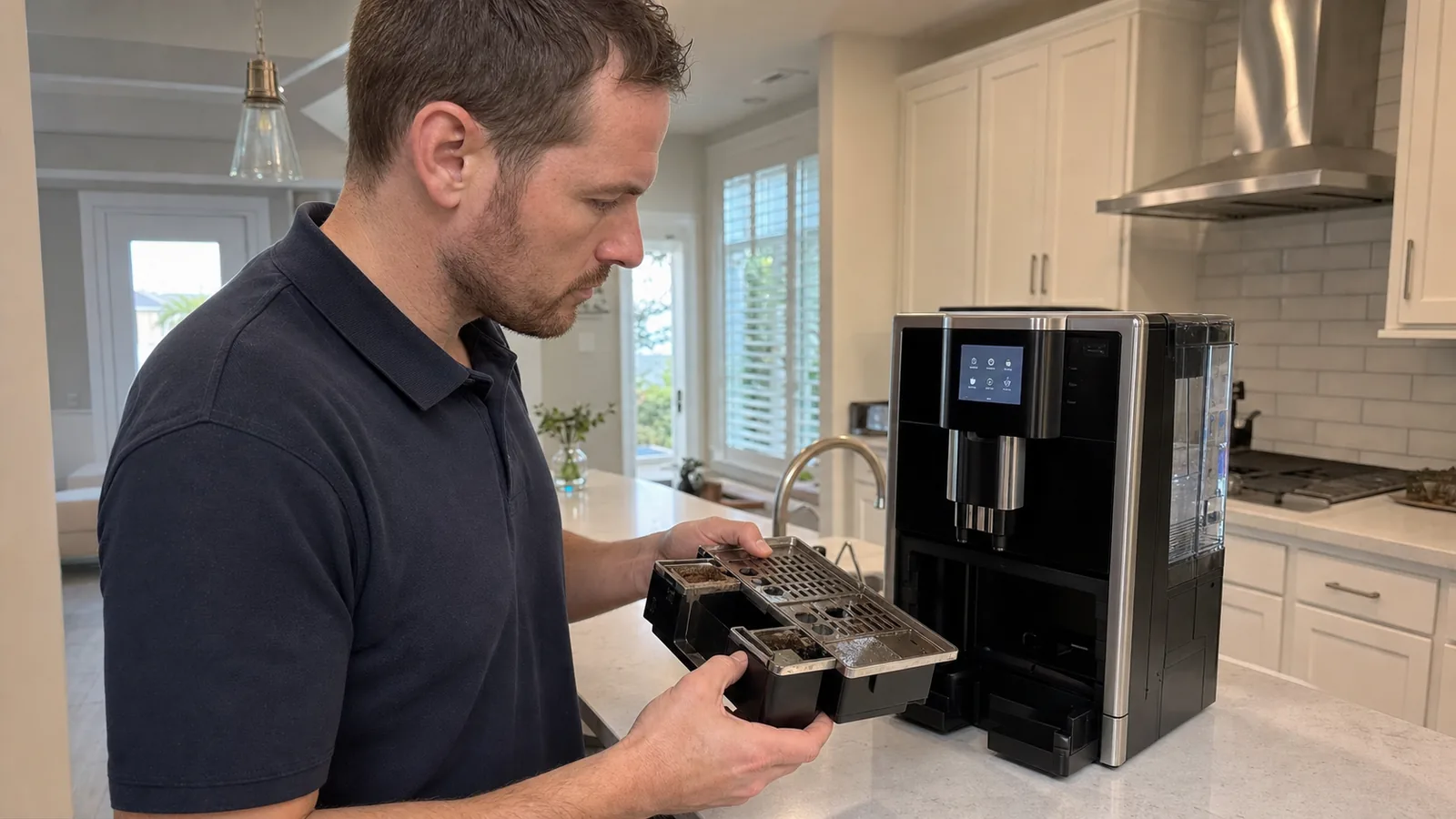
Residential automatic coffee machine service
JURA Coffee Machine Repair in Tampa, FL
Model-aware help for home JURA machines with grinder, brew, water, heat, milk, leak, tray, filter, cleaning, or display-message problems.
- Current and legacy home families screened by exact model
- Internal brew group, grinder, fluid, milk, and waste paths kept distinct
- Independent service with warranty-first guidance
Max Appliance Repair Tampa is independent and is not authorized by JURA.
Exact Model FirstGeneration, grinder count, milk system, display, filter and sensors change the test path.
Message RecordedExact words/icons and the preceding sequence are more useful than “it needs a board.”
Home ScopeProfessional/X-line and commercial-duty requests receive separate screening.
90-Day Parts CoverageEligible repair parts installed by us include limited parts coverage.
JURA means bean-to-cup automatic, but not one machine
Which JURA Family Is on Your Counter?
JURA USA’s current home range includes GIGA, Z, J, S, E, C and ENA families. Tampa homes also have older IMPRESSA, ENA Micro and earlier generations. The front name helps, but the type/article label and configuration determine the correct manual, filter, maintenance sequence, sensor layout and parts path.
Compact and Coffee-Focused
ENA 4/8, E4, C3 and older ENA/ENA Micro or compact IMPRESSA machines may emphasize black coffee, smaller reservoirs or simpler interfaces; milk hardware varies by model.
Send: exact label, display/indicator, spout and milk configuration.
Mainstream One-Touch
E6/E8, C9 and many older E/C/F/IMPRESSA families combine grinder, internal brew unit, heated fluid path and model-specific milk/hot-water delivery.
Send: drink affected, message, grinder/pump sound, filter and care history.
Premium Z, J and S
Z10, J10/J8/J8 twin, S8 and earlier Z/J/S generations can add larger touchscreens, cold or sweet-drink features, more complex spouts, milk paths, sensors and connectivity.
Send: generation, all drink paths compared, spout photo and exact programme state.
GIGA and Professional Screening
Home GIGA can use twin grinders/hoppers and higher complexity. GIGA X, X-line or machines in offices, restaurants and other high-duty settings require separate professional/commercial screening.
Send: full type label, use setting, beverage counter, grinder side and installation details.
Follow the sequence from beans to waste
How a JURA Automatic Coffee Cycle Moves Through the Machine
One drink crosses several systems. Reporting the last successful stage helps separate a bean/grinder problem from internal brew-unit movement, fluid/heat, spout/milk delivery, or waste detection.
1. Beans or BypassHopper feed or model-approved ground-coffee chute and its detection.
2. Grind and DoseGrinder turns, meters coffee and delivers grounds toward the brew unit.
3. Internal Brew UnitDrive positions, compresses, infuses and later ejects the puck.
4. Water, Flow and HeatTank/filter, valves, pump, flow sensing and heater feed the recipe.
5. Coffee or Milk SpoutCoffee outlet, hot water and optional milk pipes/connectors deliver the drink.
6. Grounds and TraySpent puck, rinse and valve discharge reach monitored waste components.
JURA’s brew unit is internal. Do not remove covers or copy an owner-removable brew-group routine from another brand. Use only the integrated programmes and owner-accessible steps in the exact JURA manual.
Describe the last stage that worked
Common JURA Coffee Machine Problems We Can Evaluate
These symptoms are starting points, not remote diagnoses. Note the selected drink, exact message, sounds, water location, timing and whether a different beverage path still works.
Grinds but No Coffee
Bean/dose, powder funnel, brew-unit drive or seals, drainage valve, pump, flow, heat, spout, sensor, control or maintenance state may interrupt the cycle.
Fill Beans or Grinder Noise
Bridged/oily or additive-coated beans, hopper feed, foreign material, burr/drive wear, grinder motor, current/dose sensing or control may affect recognition and delivery.
Weak, Cool or Small Coffee
Recipe settings, cup temperature, grind/beans, dose, brew seals, drainage, pump/flow, heater, scale/filter state, temperature sensing or spout restriction can change output.
Weak Milk Foam or No Draw
Cold milk, pipe/connector fit, blocked or misassembled spout, residue, air leak, valve, pump, heater, temperature control or model-specific milk hardware may matter.
Leak or Excess Water in Tray
Tank/valve, hose, fitting, heater/fluid block, drainage valve, brew seals, spout, milk path, tray routing, overflow or crack can leak at different points in the cycle.
Tray, Grounds or Error Message
Full/mis-seated waste parts, wet contacts, sensor state, sequence recognition, jammed brew movement, fill/flow, heat, control or a model-specific fault can hold a message.
Stop and unplug for smoke, burning odor, sparking, repeated breaker trips, a damaged cord/plug, water near electrical areas, uncontrolled heating/pumping, loud hard mechanical contact, or hot water/steam escaping from the housing. Do not reach into the grinder or internal brew cavity.
A displayed request is a state clue
What Common JURA Messages Can Tell the Technician
Wordings and icons vary across generations. Photograph the entire display before restarting, then note the drink/programme, water level, bean state, tray state and sounds immediately before the message.
Fill water / system
Water Is Not Ready to Move
Tank level/seating, filter, inlet valve, prime, pump, flow sensor, air, restriction or control may be involved. Do not run the pump dry repeatedly.
Fill beans
Bean or Dose Not Confirmed
Check only safe hopper/bean conditions. Bridging, unsuitable beans, feed, grinder, dose sensing or control can look similar.
Empty grounds / tray
Waste State Not Cleared
Full, absent, mis-seated, wet or unregistered components can hold the message. Exact emptying/reinsertion sequence matters.
Clean / rinse
Coffee Path Maintenance Due
The integrated cleaning programme addresses coffee oils/residue. An interrupted cycle or incorrect opening/product can leave a different state.
Change filter / descale
Water Mode Needs Context
Correct cartridge, recognition/programming, water hardness and programme history determine whether the machine expects filter use or descaling.
Error / all indicators
Model-Specific Fault State
Record the number/icons and sequence. Drive, grinder, flow, heat, sensors, wiring, controls or another protected condition may need testing.
Five maintenance jobs, five different purposes
JURA Cleaning, Filter, Descale, Milk, and Daily Care Are Not Interchangeable
JURA programmes are designed around the model and the current machine state. Starting a different chemical cycle because coffee is weak can complicate the fault, especially if the filter mode or an existing programme was interrupted.
Coffee oils
Machine Cleaning Cycle
The guided programme and tablet clean coffee oils/residue from the internal brew and coffee path. It is not descaling or milk cleaning.
Incoming water
CLEARYL Filter
The correct cartridge must be installed and activated/recognized. JURA says an activated CLEARYL filter removes the need for descaling.
Mineral scale
Descaling Programme
Run only when the exact model and water mode call for it. Do not interrupt, top up early, mix products or leave a filter installed contrary to the instructions.
Milk fats and proteins
Milk-System Care
Clean after milk use as directed; inspect pipe, connectors and spout assembly. Milk cleaning does not clean the internal coffee path.
Everyday waste
Tank, Tray, Grounds and Spouts
Fresh water, clean/dry tray and grounds parts, and model-directed spout rinsing protect hygiene and reliable sensor/contact operation.
Before service
Record the Interrupted Step
If a programme stopped, send the exact prompt, product/quantity used, filter state, tray/tank action and first abnormal sound or leak.
Protect the grinder and identify the feed path
Beans, the Bypass Chute, and Grinder Symptoms Need Separate Answers
JURA warns that the grinder is not suitable for beans treated with additives such as sugar during or after roasting. Flavored, caramelized, very oily or foreign material can bridge, coat, clog or damage the feed and grinder. Instant coffee and unapproved ingredients also fall outside normal bean-to-cup use.
Report the hopper/grinder behavior
- Bean type, surface condition and any flavoring/additive
- Whether beans move toward the grinder or bridge
- Normal, strained, skipping or hard-contact sound
- Whether dry grounds appear in the container
- Single or twin grinder/hopper side affected
Keep bypass-ground use model-correct
- Use only the approved ground-coffee opening and amount
- Never pour water, beans or chemicals into the powder chute
- Record a powder-funnel or fill-powder message exactly
- Do not probe, vacuum or reach toward moving burrs
- Stop a grinder making sharp mechanical contact
A bypass drink that succeeds while bean drinks fail can help narrow the sequence, but it does not prove a specific grinder part. The internal brew, water and spout paths are still shared.
A front model name is not the complete identifier
Prepare a JURA Service Intake That Saves Guesswork
Photograph the full type/rating label, machine front, display and the owner-accessible components connected to the symptom. Older IMPRESSA names and newer family names can cover multiple revisions, and a visually similar machine may use different filters, spouts, grinders, sensors or programme steps.
Unplug and cool the machine before moving it. Empty water, beans, drip tray and grounds only when safe and appropriate, then transport upright with removable parts secured. Do not lift by a spout, milk connector, water tank or hopper lid.
Identity and Configuration
Full model/type/article/serial label, front, spout, milk connector, display/control, hopper count, water tank/filter and any Cool Control or accessory.
Exact Message and State
Full words/icons/error number before restarting, selected drink or programme, whether the machine was cold, and what it requested next.
Sequence and Destination
Grinder sound, pump sound, brew movement, spout output, milk draw, hot water, rinse, dry/wet grounds and where water first appears.
Maintenance and Counters
Filter type/mode, last clean/descale/milk care, water hardness/source, product used, interrupted step, beverage count and previous repair.
Do not clean away the evidence before documenting it. A short safe video of the display, sounds, spout/tray output or message sequence can be more useful than a remote part guess.
Choose the responsible service route first
JURA Warranty, Independent Service, and Professional-Machine Boundaries
Warranty status and use setting should be checked before opening a machine. JURA USA’s published warranty has a defined duration/usage limit and exclusions, while professional or high-duty equipment has a different service context.
Possible JURA Warranty
JURA USA states two years or 6,000 coffee brewings, whichever comes first, for qualifying new U.S. automatic machines and lists exclusions including unauthorized work, missed maintenance, misuse and unapproved ingredients.
Review the current JURA USA warranty and obtain Return Authorization before sending a machine.
Independent Residential Service
Home JURA requests can be screened for grinder/dose, internal brew movement, pump/flow, heating, valves, seals, leaks, spouts/milk, trays/sensors, display/controls and maintenance-state problems.
A booking does not promise that every machine, sealed assembly, discontinued component or liquid-damaged control is repairable.
Professional or High-Duty Use
GIGA X, X-line and machines in restaurants, cafes, offices, hotels, events or other high-volume settings require separate screening for model, duty, installation, beverage count, sanitation, access and parts.
Do not assume residential service terms or availability from this page.
Use the machine’s value, counters and system condition
Repair or Replace an Older JURA Automatic Coffee Machine?
A premium GIGA/Z/J machine and an early compact ENA or IMPRESSA have different replacement costs and complexity. Compare the diagnosed failure, beverage count, internal condition, maintenance record, correct parts support and the drinks/features the household actually uses.
Factor 1
Model and Features
Twin grinders, premium display, cold/sweet functions, milk complexity and high replacement value can change the repair case.
Factor 2
Failure Scope
A seal, valve, tray contact or isolated grinder/drive issue differs from corrosion, liquid-damaged electronics or several failing systems.
Factor 3
Care and Counters
Beverage count, delayed programmes, milk residue, scale/filter history, unsuitable beans, internal waste and prior repairs affect risk.
Factor 4
Parts and Workflow
Correct generation support, lead time, desired recipes, household use and a realistic replacement path should be compared.
What to expect
How Residential JURA Coffee Machine Service Works
A useful visit starts with exact identification and a sequence map. The technician evaluates the failed path and maintenance condition, then explains the finding before approved work.
Step 1
Send the Label
Share type/model, serial/article details, front, display, spout/milk configuration, address and ZIP code.
Step 2
Describe the Sequence
Report the exact message and last successful bean, grind, brew, water/heat, spout/milk or waste stage.
Step 3
Inspect and Test
Relevant owner-accessible parts, counters, programmes and machine systems are evaluated safely by model.
Step 4
Review the Finding
Diagnosis, limits, repair option, parts situation and repair-versus-replace factors are discussed first.
Eligible repair parts installed by Max Appliance Repair Tampa include a limited 90-day parts warranty; coverage depends on the component and repair.
Request JURA Coffee Machine ServiceLocal route confirmation
JURA Coffee Machine Repair Across Tampa Bay
Residential JURA requests are reviewed across Tampa and many nearby Hillsborough, Pinellas and Pasco County communities. Availability varies by date, route, machine, use setting, safe access, symptom, warranty and parts situation.
All Service AreasTampaClearwaterDunedinSt. Petersburg
Common routes also include Brandon, Riverview, Lutz, Temple Terrace, Carrollwood, Westchase and nearby communities. Share the full address, ZIP code, parking/gate instructions, counter clearance and whether the cooled machine can remain upright and safely accessible.
Direct answers for JURA owners
JURA Coffee Machine Repair FAQs
Answers about home model families, identifiers, no-coffee cycles, grinder/bean messages, waste-component detection, leaks, milk systems, filters versus descaling, coffee versus milk cleaning, error messages, the internal brew unit and independent service.
Which JURA coffee machines do you repair in Tampa?
We review residential requests for many current and older JURA automatic coffee machines, including GIGA, Z, J, S, E, C and ENA families plus legacy IMPRESSA and ENA Micro generations. Coffee-only, one-touch milk, twin-grinder and older rotary/display machines do not share one configuration. Service fit depends on the exact model/type, serial label, message, beverage count, condition, maintenance history, warranty, use setting and parts support. JURA Professional/X-line requests need separate screening.
Where is the model or type number on a JURA coffee machine?
The exact identification location varies by generation, so photograph the full rating/type label on the rear, underside, service area or another model-specific location after unplugging and cooling the machine. Do not identify it only as E8, Z-series or IMPRESSA from the front. Include the complete label, machine front, display message, spout/milk configuration, water tank, bean hopper or hoppers, and any type or article number without cropping suffixes.
Why is my JURA grinding beans but not dispensing coffee?
The machine may be unable to move beans or grounds through the full sequence. Bean feed, grinder/dose, powder funnel, internal brew-unit movement, drive, seals, drainage valve, pump, flow path, heater, spout restriction, sensors, controls or a maintenance condition may be involved. Note whether dry grounds reach the container, whether water reaches the tray, what the pump and grinder sound like, and the exact message. Do not open the sealed brew-unit area.
Why does my JURA say fill beans when beans are present?
Beans may be bridging, too oily, unsuitable, or unable to reach the grinder; a hopper/interlock, grinder, current/dose sensing or model-specific control may also matter. JURA warns against beans treated with additives such as sugar during or after roasting. Do not add water to the hopper, push fingers or tools toward burrs, or repeatedly run a grinder that makes hard mechanical contact. Photograph the beans, hopper and message and report whether the grinder turns.
Why does the empty grounds or drip tray message stay on?
The grounds container may be full, the drip tray may be absent or mis-seated, wet contacts or a sensor may not read the assembly, or the machine may not have registered the emptying sequence. Some older JURA instructions specifically use tray-removal timing. Empty, rinse, dry and reinsert only as the exact model manual directs while the machine is in the required state. Do not bypass tray contacts or insert loose objects into the cavity.
Why is water leaking from or collecting under my JURA?
A reservoir or valve connection, hose, fitting, pump, heater/fluid block, drainage valve, brew-unit seal, spout, milk connection, tray routing, overflow or cracked component can leak at different times. Dry the counter and record whether water first appears during startup rinse, grinding/brewing, hot water, milk preparation, cleaning, shutdown rinse or idle time. Stop using the machine if water reaches the cord, outlet or electrical areas.
Why is the JURA milk foam weak, sputtering or not drawing milk?
Milk temperature, pipe/connector fit, blocked or assembled spout parts, dried milk fats/proteins, air leaks, a worn pipe, valve, pump, heater, temperature control or model-specific milk system can affect suction and foam. JURA says the milk system should be cleaned daily when milk was prepared and model-directed spout parts should be dismantled/rinsed. Use the exact programme and compatible maintenance product; do not force tools into nozzles.
Is changing a CLEARYL filter the same as descaling a JURA?
No. A CLEARYL filter treats incoming water and must be the correct type, installed and activated/programmed for the machine. Descaling removes mineral buildup through a machine-guided programme when the model calls for it. JURA says an activated CLEARYL filter removes the need for descaling; a filter physically installed but not set in programming can still produce a descale prompt. Follow the exact model instructions rather than switching modes mid-cycle.
Is the JURA cleaning tablet cycle the same as milk-system cleaning?
No. The machine cleaning programme and tablet address coffee oils/residue in the internal brew and coffee path. Milk-system cleaner addresses milk fats and proteins in milk pipes, connectors and spout parts. Descaling, filter changes, automatic rinses, water-tank care, and daily drip-tray/grounds cleaning are also different operations. Run the prompted programme exactly and do not put a cleaning tablet or chemical into an unapproved opening.
What does a JURA error or maintenance message mean?
The message is a state clue, not a universal parts diagnosis. Fill water, fill beans, empty grounds, insert tray, change filter, clean, descale, rinse milk system and numbered/general errors point to different sequences. Model generations use different words, icons and sensors. Photograph the full display before power cycling and report what happened immediately before it, what the grinder/pump did, and whether water reached the spout or tray.
Can I remove and wash the JURA brew group myself?
JURA home machines use an internal brew unit rather than the owner-removable side-access brew group found on some other superautomatic brands. Do not remove covers, force the mechanism, spray water inside, or copy a removable-brew-group routine from another brand. Use the integrated rinse/clean programmes and owner-accessible cleaning steps in the exact JURA manual. Internal brew-unit inspection is a service task after the machine is safely disconnected.
Is Max Appliance Repair Tampa authorized by JURA?
No. Max Appliance Repair Tampa is an independent appliance repair company and is not authorized by, affiliated with, or endorsed by JURA. JURA USA states that unauthorized service can affect warranty coverage and asks owners to obtain Return Authorization before sending a machine. Contact JURA first when the machine may be within its limited warranty, has a manufacturer-directed issue or could qualify for JURA’s service process.
Official sources used for product scope and owner guidance: JURA USA home machines, maintenance and hygiene FAQ, optimum maintenance, U.S. warranty, Z6 product support example, legacy IMPRESSA support example, and the current E8 manual. Symptoms are diagnostic starting points, not remote diagnoses.
Independent service disclosure: Max Appliance Repair Tampa is an independent appliance repair company and is not authorized by, affiliated with or endorsed by JURA. Brand and product names identify automatic coffee equipment discussed or serviced. Use JURA for warranty, recall, Return Authorization or manufacturer-directed support.
Brand scope and owner-support information reviewed August 2, 2026. View all appliance brands we repair or visit our coffee and espresso machine repair page.
Need Help With a JURA Coffee Machine?
Call with the type/model label, display message, last successful cycle stage, filter/maintenance history, beverage count if available and Tampa-area ZIP code.