

Schedule Now & Get $25 Off
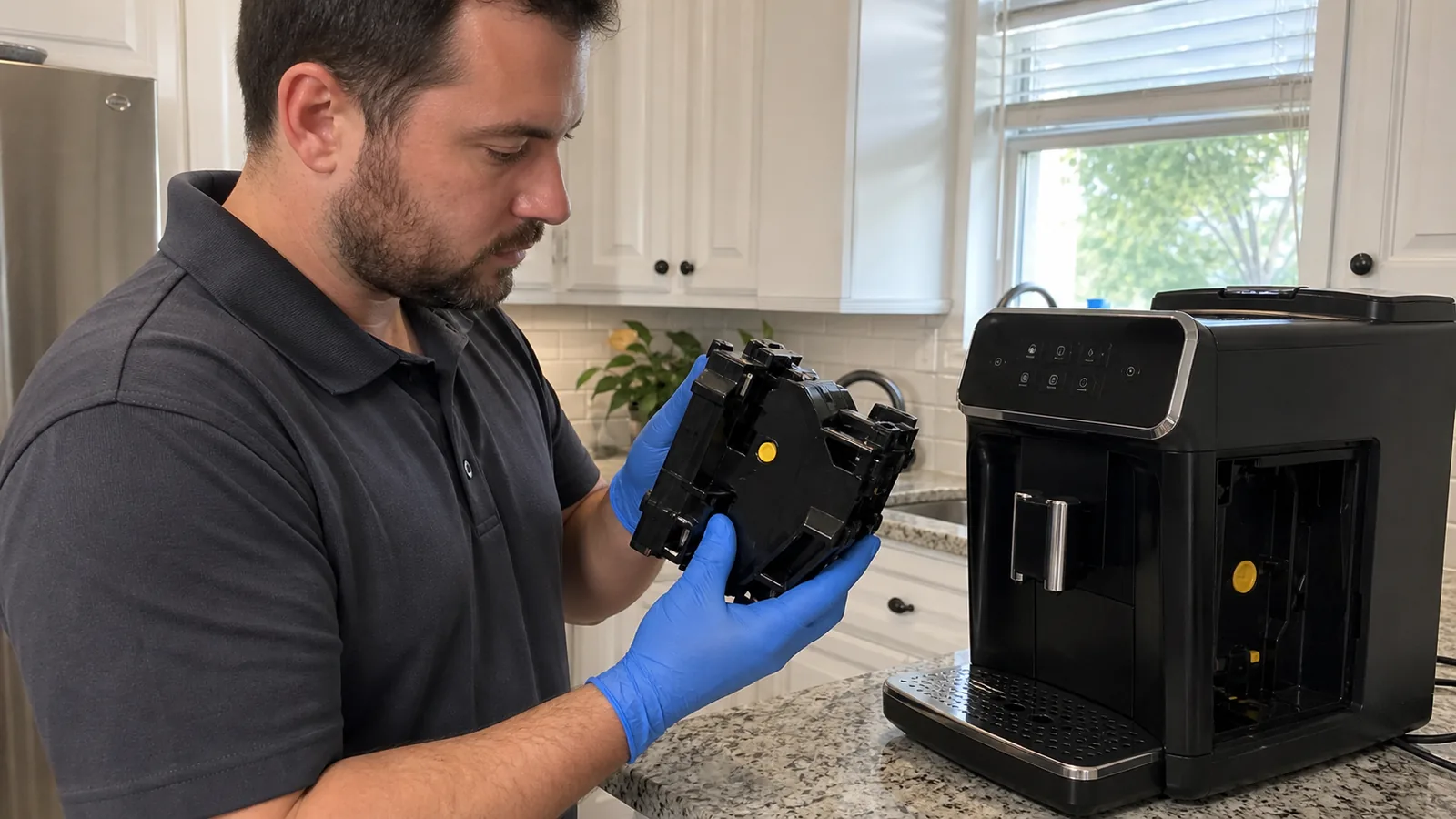
Fully automatic espresso machine screening
Philips Espresso Machine Repair in Tampa, FL
Model-aware evaluation for current and legacy Philips bean-to-cup machines with brew-group, grinder, water, AquaClean, LatteGo, leak, display or coffee-quality problems.
- Exact EP product code and series recorded
- LatteGo, Classic Milk Frother and care paths kept distinct
- Error stage, brew group, filter and maintenance evidence mapped
No Philips/Saeco authorization or guaranteed same-day/result claim is implied.
Product Code FirstEP####/## identifies more than the series name alone.
Cycle EvidenceError, last successful stage, sounds and water path narrow the work.
Maintenance SeparatedRinse, oil clean, grease, filter and descale have different jobs.
90-Day Parts CoverageEligible repair parts installed by us include limited parts coverage.
Current features and legacy Tampa kitchens
Start With the Philips Series, EP Code, and Milk System
Two machines called “LatteGo” can have different displays, drink menus and procedures. Photograph the complete product label and the actual milk, filter and control setup.
3300 Series
Current compact EP33xx examples combine a removable brew group, AquaClean compatibility, ceramic grinder and model-dependent LatteGo/drinks/interface. Do not assume every 3300 suffix has identical accessories.
Send: EP suffix, lights/display, milk system and filter status.
4400 and 5500
Newer EP44xx/EP55xx examples add larger hot/iced drink menus, profiles or QuickStart by model while retaining removable brew-group and AquaClean care. Menu-guided cleaning/descale differs from icon-only models.
Send: exact menu/message, selected recipe and recent settings change.
1200–3200 Families
Common earlier EP12xx/22xx/32xx machines may use LatteGo or a Classic Milk Frother with simpler warning icons. Front panels look similar while drink, milk and reset instructions differ.
Send: all illuminated icons, EP code, spout/frother and grounds/water state.
4300/5400 and Legacy
Older TFT LatteGo/Classic systems and legacy 5000 or Philips/Saeco platforms need exact identification. Shared history does not make Philips, Saeco Xelsis and Intelia service interchangeable.
Send: full brand/plate, accessories, age/repair history and support status.
Follow the coffee, water and mechanism
How a Philips Fully Automatic Espresso Cycle Moves
The light or code may identify where the machine stopped, but the cause can begin one stage earlier. Record the last completed action before resetting.
1
Power and Containers
Control, service door, tray/grounds container, water tank and filter state initialize.
2
Prime, Heat, Rinse
Tank/filter supply is drawn through pump, valves, heater and internal rinse path.
3
Beans and Funnel
Beans feed the ceramic grinder, grounds pass through the funnel and the dose reaches the brew group.
4
Brew Group
The drive positions the removable group, compresses coffee, extracts and releases the puck.
5
Spout and Milk
Coffee exits the adjustable spout; LatteGo, classic frother or carafe uses its own milk/steam path.
6
Tray and Counter Reset
Rinse/relief water reaches the tray, puck reaches the grounds container and counters update.
Use codes as starting points
Philips Error 01, 03, 04, and 05: What Changes the Next Step
These official meanings guide safe owner checks, but they are not proof that one part has failed. Exact model, sequence and repeated behavior still matter.
| Code | Philips starting point | Useful evidence / avoid |
|---|---|---|
| 01 | Grinder not working as expected because the coffee funnel is blocked. | Report grinder sound, beans and dry grounds path. Do not add water to the hopper or reach into burrs. |
| 03 | Brew group is too dirty to work correctly. | Record group movement, filter/screen condition and cleaning history. Do not force the group/drive. |
| 04 | Brew group is not correctly placed. | Check the click, neutral indicators and machine home position by the exact manual; do not jam the rails. |
| 05 | Trapped air in the water circuit is a documented cause. | Record tank/filter installation, pump sound and hot-water flow. Do not keep a dry pump running. |
| Other/repeated | Codes such as 02, 10, 15 or 22 and persistent faults require repair screening. | Photograph the complete display; do not cycle power repeatedly or substitute a similar model’s steps. |
Stop safely for smoke, burning odor, sparks, repeated breaker trips, uncontrolled heating, hot water escaping the case or significant leaking. Unplug only when safe and do not open internal energized panels.
Symptoms need timing and comparison
Common Philips Espresso Machine Problems We Can Evaluate
Describe the chosen drink, error/light, grinder/pump/drive sounds, water destination and the puck or powder left behind.
No Coffee or Only Drops
Tank/filter air, scale, brew group, spout/funnel, pre-ground dose, pump, valve, flow, heater or control may interrupt.
Grinder Runs, No Grounds
Bean bridge, oily beans, funnel blockage, grind setting, foreign object, burr/drive or feed path may matter.
Watery or Weak Espresso
Break-in, beans, dose/volume, grind, dirty group filter, funnel, seal, pressure, flow or temperature can change extraction.
Brew Group Will Not Move
Neutral/home position, residue, lubrication, rails, lock, drive, sensor or control can prevent removal or insertion.
LatteGo Leak or Poor Froth
Two-part assembly, transport clip, residue, milk condition, air/steam path, connection or component can affect milk.
Tray or Case Water
Normal rinse water must be separated from overfill, tank, group, spout, valve, hose or case leak timing.
Coffee quality is a system result
Separate Recipe and Bean Variables From a Philips Machine Fault
Weak, fast, slow or inconsistent coffee is not automatically a failed pump or grinder. Preserve a baseline and change one safe setting at a time so the machine’s behavior can be compared without creating several new variables.
Beans and Break-In
Record bean age, roast/oil level and hopper change. A new or reset automatic machine may need several cycles to adapt dose/extraction. Extremely oily or flavored beans can feed differently and leave residue; do not add damp beans.
Grind and Aroma
Note the original grinder number, aroma/dose and extra-shot setting before adjustment. Change only one step at the manual-directed time; forcing a stopped grinder or jumping several positions can jam or obscure the underlying issue.
Volume and Temperature
Compare a standard espresso at a known volume before judging a large coffee or milk recipe. Cup volume, selected temperature, preheat, cup temperature and iced recipes affect the result even when brew pressure is normal.
Mechanical Evidence
Photograph puck shape/wetness, powder location and spout flow; report whether every bean container/recipe is affected. A dirty group screen, seal, blocked funnel, drive movement, flow or heater problem can mimic a settings complaint.
Do not compensate indefinitely for a fault. If grind changes cause stalled flow, the machine becomes unusually loud, powder accumulates rapidly, water bypasses to the tray or coffee temperature/volume changes suddenly, stop experimentation and preserve the current settings for diagnosis.
Removable does not mean forceable
The Philips Brew Group Has Position, Cleaning, and Lubrication Requirements
The machine drive and brew group must both be in compatible home/neutral positions. Opening the service door or removing containers before the power-down sequence stops can leave the drive where the group will not insert.
Before removal or insertion
- Switch off and wait until all movement/sound stops
- Follow the exact EP manual and owner-access sequence
- Check applicable yellow cylinder/arrow, N and hook position
- Keep the handle/lock and group mechanism in instructed state
- Slide on clean rails; stop if force is required
Separate care tasks
- Rinse with model-directed lukewarm water and air-dry
- Remove coffee oil by the correct tablet/menu procedure
- Lubricate only specified piston, shaft and rail points
- Keep dry beans/water away from the grinder/funnel
- Do not reach into or manually turn the machine drive
Philips brew-group insertion instructions and use the exact model manual.
One filter cannot do four maintenance jobs
AquaClean, Descaling, Coffee-Oil Cleaning, and Grease Are Different
Prompts and menus differ across 2300/3300, 4300/4400/5400/5500 and earlier icon-based models. Keep the care history by task.
| Task | What it does | Common misunderstanding |
|---|---|---|
| AquaClean prepare/activate | Filters incoming tank water when compatible and correctly prepared, seated, activated and replaced. | Installing a filter without activation or after a missed prompt does not erase existing scale or a required descale. |
| Descale program | Removes mineral deposits from water/heating paths using the correct model program and descaler. | “Up to 5,000 cups” is conditional on prompted filter replacements and use; AquaClean does not mean never descale. |
| Coffee-oil clean | Uses the model-directed tablet/menu process to remove oils from the brew-group filter. | Philips explicitly states coffee-oil tablets do not descale the machine. |
| Brew-group grease | Supports smooth piston, shaft and rail motion at model/use-based intervals. | More grease is not better; use the specified product and locations, not food oil or a random lubricant. |
| Milk/spout/tray cleaning | Removes milk, coffee and rinse residue from owner-removable delivery/waste parts. | LatteGo dishwasher guidance does not automatically apply to Classic Milk Frother or older carafes. |
Do not interrupt descaling once started. Record the model, prompt, product, water amount, removed filter/milk attachment, cycle stage and any outage. An incomplete cycle can require a model-specific rinse/recovery sequence.
Normal behavior versus a real fault
LatteGo, Drip-Tray Water, and Grounds Counters Need Context
Owner questions often come from correct rinse/counter behavior, but timing and quantity can also reveal a leak, assembly problem or failed part.
LatteGo Assembly
Remove the transport clip on a new/replacement unit, hook and click the two parts fully, clean milk residue from sealing surfaces and identify whether the leak occurs while filling, attached, frothing or stored.
For poor froth, report milk type/temperature, clean state and whether hot water/steam behavior is abnormal.
Water in the Tray
Automatic rinse and internal pressure-release water normally reaches the tray during power and drink cycles. Daily emptying may be expected; the red float is a physical level indicator.
Overnight fill, a tray full after roughly two drinks, or water outside the tray needs a different leak timeline.
Empty Grounds Prompt
The machine’s cycle counter may not reset if the grounds container is emptied with the machine off or reinserted immediately. Philips directs applicable models to be on and allows a short pause before reinsertion.
A damaged container, switch/sensor, alignment or control issue remains possible if the correct sequence fails.
Preserve evidence before a reset
What to Send Before a Philips Espresso Service Visit
Photograph the complete EP product label, control panel and all lights/code, milk system, AquaClean state and the water/tray/grounds setup. If safely removable, photograph the brew-group indicators and the exact powder/puck location.
Record the chosen drink and last successful stage. Note grinder, pump and brew-drive sounds; where water exited; new beans/filter/grind/product changes; and any interrupted care program.
Identity and Setup
EP code/serial, current/legacy series, Philips or Saeco label, LatteGo/classic/carafe, AquaClean and counter clearance.
Failure Timeline
Exact code/light, selected recipe, last completed stage, sounds and water/grounds/powder destination.
Care and Inputs
Beans/oil, grind changes, group rinse/oil/grease, filter activation/replacements, descale and milk cleaning.
Access and Safety
Address/ZIP, counter clearance, outlet behavior, leak size, safe cool/dry state, parking and gate/building instructions.
Do not dismantle for photos. Do not reach into the grinder or moving drive, force the brew group/door/tray or expose energized internal parts.
Repair value is not series name alone
When a Philips Espresso Repair Makes Practical Sense
Compare the confirmed fault with the condition of the grinder, brew group/drive, water/heating path, controls, milk system and parts support. A recent 5500 and a heavily used older 2200 do not have the same replacement comparison.
Failure Scope
An isolated seal, sensor, valve, group-position or funnel issue differs from liquid-damaged controls, motor/drive plus grinder wear or several leaks.
Care Condition
Review scale/filter history, oil residue, lubrication, milk buildup, bean suitability, prior force/damage and interrupted programs.
Exact Parts
Confirm EP suffix, revision and compatible component rather than ordering from a similar-looking 3200/4300/5400 listing.
Household Priorities
Compare drinks, milk system, profiles/interface, daily volume, counter space, downtime and realistic replacement price.
What to expect
How Philips Espresso Machine Service Screening Works
The intake identifies the exact product and failed stage. The technician evaluates relevant owner-accessible and machine systems, explains the finding and discusses a repair path before approved work.
1. Send the Label
EP code/serial, series, milk/filter setup, address, warranty and safe access.
2. Map the Cycle
Code/light, selected drink, last successful stage, sounds and water/grounds location.
3. Evaluate Safely
Relevant tank/filter, grinder/funnel, group/drive, heat/flow, spout/milk, tray and controls are tested.
4. Review the Finding
Diagnosis, limits, owner-care correction, parts and repair-versus-replace factors are discussed.
Eligible repair parts installed by Max Appliance Repair Tampa include a limited 90-day parts warranty; coverage depends on the component and repair.
Request Philips Espresso ServiceLocal route confirmation
Philips Espresso Machine Repair Across Tampa Bay
Residential Philips fully automatic requests are reviewed across Tampa and many nearby Hillsborough, Pinellas and Pasco County communities. Availability depends on model, route, safe access, symptom, warranty and parts support.
All Service AreasTampaClearwaterDunedinSt. Petersburg
Also share parking/gate instructions, counter clearance, outlet access and whether the machine can remain cool, dry, upright and unused before the visit.
Direct answers before booking
Philips Espresso Machine Repair FAQs
Answers about series/scope, Philips versus Saeco, no-coffee cycles, error codes, brew-group position, grinder/beans, LatteGo, AquaClean/descaling, tray/grounds counters, care distinctions and independent service.
Which Philips espresso machines do you repair in Tampa?
We screen residential requests for Philips fully automatic bean-to-cup espresso machines, including current 3300, 4400 and 5500 examples and older 0800/1200/2200/3200, 4300/5400 and legacy 5000 families when identification, condition and parts support allow. LatteGo, Classic Milk Frother, milk-carafe, AquaClean, display and drink options vary. Send the complete EP product code and serial; service fit depends on the exact machine, symptom, warranty, safe access and parts path.
Are Philips and Saeco espresso machines the same for service?
No. Philips and Saeco have shared product history, care concepts and some components, but a Philips EP machine, Saeco Xelsis or Intelia and older Philips/Saeco platforms should not be assumed identical. Product code, label, brew group, milk system, interface and manual determine the correct sequence and parts. This page focuses on Philips-branded residential fully automatic machines; a Saeco-labeled machine requires its own model-specific screening.
Why is no coffee coming from my Philips espresso machine?
Trapped air or an unprepared/clogged AquaClean filter, empty or poorly seated tank, dirty brew group, blocked coffee spout or funnel, overfilled pre-ground dose, scale, grinder/bean-feed problem, pump, valve, flow, heater or control can interrupt coffee. Report whether hot water works, whether the grinder and pump run, where water goes and what lands in the grounds container. Do not repeatedly run a dry or leaking machine.
What do Philips error codes 01, 03, 04 and 05 mean?
Philips identifies error 01 with a grinder/coffee-funnel blockage, error 03 with a brew group too dirty to work correctly, error 04 with a brew group not correctly placed and error 05 with trapped air in the water circuit as a documented starting point. Exact owner steps and additional causes still depend on the model and symptoms. Other codes, repeated codes or an unsafe condition need repair screening rather than a guessed reset.
Why can I not insert the brew group into my Philips machine?
The removable brew group may not be in its neutral position, or the machine’s drive may not have returned to its ready/home position. Philips instructions require allowing the power-down/up sequence to finish without opening the service door early, and aligning the group’s yellow cylinder/arrow, N mark and hook on applicable models. Instructions vary; do not force the rails, lock or group, and never reach into the drive.
Why is Philips espresso watery or coffee powder collecting under the brew group?
New-machine adaptation, beans, grind, aroma/dose and cup-volume settings can affect strength. A dirty brew-group filter, blocked funnel, unsuitable grind, worn/dry group mechanism, seals, positioning, flow or temperature issue can also matter. Powder under the group may increase when lubrication or movement is poor. Change one recipe variable at a time, photograph the pucks/powder location and use only model-directed lubrication.
Why does the grinder run but not feed coffee beans?
A blocked coffee funnel, oily/sticky beans, a foreign object, empty hopper, grinder setting or internal grinder/drive problem may stop grounds from reaching the brew group. Philips warns not to spill water into the bean container. Switch off and wait until all sounds stop before owner-accessible checks, follow the exact funnel-cleaning guidance and do not adjust a stopped grinder or put fingers/tools into the burr area.
Why is my Philips LatteGo leaking or not frothing milk?
LatteGo can leak when its two parts are not fully clicked together, a transport clip remains, or milk residue prevents sealing. Poor froth can also involve milk temperature/type, cleaning, assembly, air/steam path or a machine component. LatteGo differs from Classic Milk Frother and older carafe systems; Philips notes only LatteGo is dishwasher-safe among compared milk paths. Clean and assemble the exact system rather than copying another model.
Why does my Philips ask for descaling after I installed AquaClean?
The filter may not have been prepared and activated, may have been replaced after its prompt expired, or the machine may have reached the required descale event after the filter cycle. Philips states AquaClean can reduce descaling when replaced as prompted, but the claim depends on eight replacements and use; it does not mean never descale. Descale first when the applicable prompt was missed, then prepare, install and activate a compatible filter by the manual.
Is water in the drip tray or an Empty grounds message normal?
Automatic rinse water normally reaches the drip tray, so some water is expected. Overnight filling or a tray becoming full after only a couple of drinks is a different pattern. An Empty grounds message can persist if the counter was not reset because the container was emptied while the machine was off or reinserted too quickly. Record power state, timing, volume and leak location before assuming a failed sensor.
Are brew-group rinsing, coffee-oil cleaning, lubrication and descaling the same?
No. Weekly model-directed rinsing removes loose residue; coffee-oil tablets clean oils from the brew-group filter; grease supports mechanical movement; descaling targets mineral deposits in the water path. Milk cleaning and AquaClean replacement are separate again. Product, frequency and sequence vary. Philips explicitly states coffee-oil tablets do not descale the machine, and an AquaClean filter does not clean the brew group.
Is Max Appliance Repair Tampa authorized by Philips?
No. Max Appliance Repair Tampa is an independent appliance repair company and is not authorized by, affiliated with or endorsed by Philips or Saeco. If the machine may be under a manufacturer warranty, has a recall or needs Philips-directed repair/exchange support, contact Philips before independent work. Manufacturer documentation and warranty implications are reviewed during service screening.
Official sources used: 3300, 4400, 5500, 3200, error codes, no coffee, watery coffee, grinder/funnel, LatteGo leak, milk froth, AquaClean prompt, descale, tray water, grounds counter, cleaning, oil tablets and lubrication. Symptoms are diagnostic starting points, not remote diagnoses.
Independent service disclosure: Max Appliance Repair Tampa is independent and is not authorized by, affiliated with or endorsed by Philips or Saeco. Use the manufacturer for warranty, recall or directed support.
Information reviewed August 2, 2026. All brands · Coffee machine repair
Need Help With a Philips Espresso Machine?
Call with the EP product code, code/light, last successful stage, milk/filter setup, care history and Tampa-area ZIP code.