

Schedule Now & Get $25 Off
Kitchen, laundry, configuration, and connected-appliance evidence
LG Appliance Repair in Tampa, FL
Max Appliance Repair Tampa evaluates qualifying LG refrigerators, dishwashers, ranges, ovens, cooktops, microwaves, washers, dryers, stacked laundry, WashTower, and all-in-one configurations.
Send the complete model/serial label, exact symptom or code, wide installation photo, and Tampa-area ZIP code. For laundry, identify side-by-side, stacked, WashTower, all-in-one, gas/electric, vented/ventless, pedestal, and SideKick details.
Seven-day scheduling. Same-day options depend on request time, route, exact model/configuration, access, safety, and parts availability.
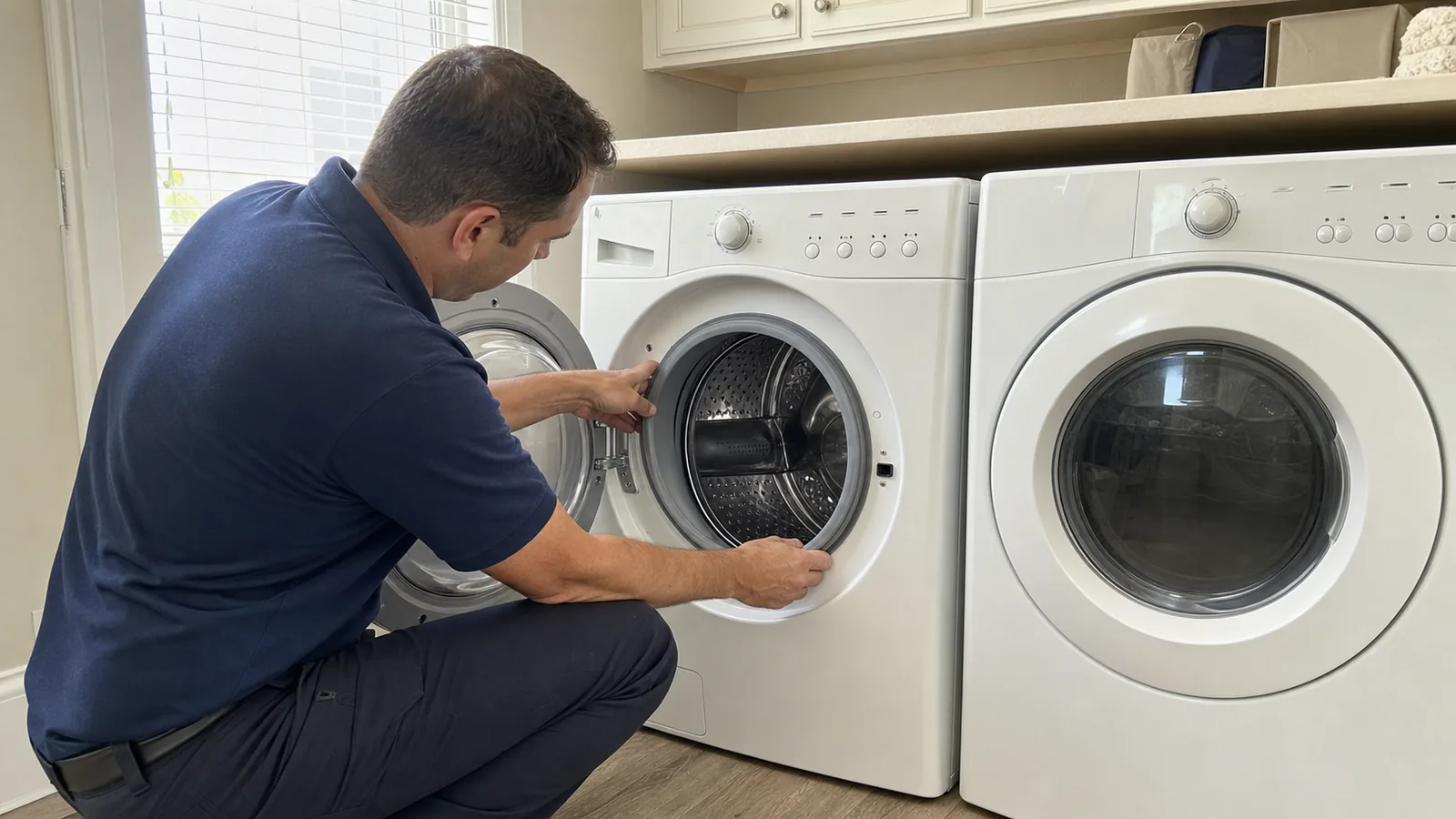
Exact Configuration
Kitchen product, pair, stack, WashTower, all-in-one, pedestal, SideKick, vented, or ventless.
Every Rating Plate
Photograph the full model, serial, suffix, revision, and each unit in a pair or vertical system.
Observed Behavior
Record cycle/mode, stage, temperature, water, heat, airflow, sound, code, and final result.
App and Installation
Save ThinQ evidence and show cabinets, floor, doors, gas/power, water, drain, vent, and access path.
Relevant LG kitchen and laundry categories
Which LG Major Appliances Can We Evaluate?
LG’s current U.S. home-appliance range spans kitchen and laundry products, but service fit is always narrower than a brand catalog. These cards describe qualifying household appliance requests within Max’s scope; the complete model, configuration, installation, safety, condition, and parts support still control the appointment route.
Refrigerators and Freezers
Qualifying French-door, side-by-side, top-freezer, bottom-freezer, counter-depth, built-in, freezer, and related ice/water configurations may be reviewed for temperature, frost, moisture, fan, door, gasket, noise, display, or power concerns.
Dishwashers
Qualifying built-in dishwashers may be reviewed for fill, circulation, drain, leak, cleaning, drying, rack, spray, door, noise, control, or code concerns. Record the selected cycle and exact stage.
Ranges, Ovens, and Cooktops
Qualifying gas, electric, dual-fuel, radiant, and induction cooking products may be reviewed for ignition, element/zone response, heat, temperature, convection, fan, door, control, or code concerns.
Microwaves and Hoods
Qualifying built-in and over-the-range microwaves plus residential kitchen ventilation may be reviewed by exact model. Microwave covers and high-voltage areas must remain closed.
Front-Load and Top-Load Washers
Qualifying washers may be reviewed for fill, wash motion, drain, spin, balance, lock, boot, leak, dispenser, sound, odor, control, or code concerns. Include pedestal or SideKick details.
Electric and Gas Dryers
Qualifying dryers may be reviewed for start, tumble, heat, cycle time, airflow, sensor behavior, noise, odor, control, or code concerns. Identify fuel type and exterior-vent behavior.
Stacked Pairs and WashTower
Qualifying compatible stacked pairs and single-unit WashTower configurations may be reviewed after both product labels, stacking method, closet access, fuel/power, water, drain, and vent path are known.
All-in-One and Ventless Laundry
Qualifying all-in-one wash/dry and ventless configurations may be reviewed by exact model for wash, drain, spin, dry, heat-pump, airflow, water, control, or code concerns when parts and access permit.
Immediate hazards come first: stop use and contact the appropriate emergency or utility resource for gas odor, smoke, arcing, severe overheating, active flooding, shattered cooking glass, a damaged connection, or another urgent condition. Do not tip, pull, unstack, unfasten, disconnect gas or hardwiring, or open a microwave to find a label.
“Washer and dryer” can describe four different access plans
Is It a Side-by-Side Pair, Stack, WashTower, or All-in-One?
LG’s current laundry catalog includes separate washers and dryers, compatible stacked pairs, single-unit WashTower products, and all-in-one WashCombo or compact wash/dry machines. The configuration changes identification, controls, movement, utilities, ventilation, and repair-versus-replace choices.
Two independent units
Side-by-side pair
Photograph each rating plate separately. Identify which unit has the symptom, whether the pair shares a drain, outlet area, gas shutoff, shelf, counter, or tight alcove, and whether either machine was replaced later.
Matching color and controls do not prove identical age, model family, or warranty.
Two units plus stacking hardware
Conventional stacked pair
Send both labels, the stacking-kit and closet view, ceiling clearance, dryer fuel type, vent route, water/drain connections, doors, flooring, and removal path.
Do not unstack or pull the pair. Safe access can require planning, help, or work outside the appliance diagnosis.
Single vertical product
LG WashTower
LG places washer and dryer sections in one vertical design with center controls. Photograph the labels inside both doors when present, the center display, affected section, fuel/vent type, water/drain, and full opening.
A washer concern and dryer concern still need separate symptom evidence.
One drum washes and dries
All-in-one or ventless combo
Identify the full model, voltage, drain, water, ventless/heat-pump configuration, cycle selected, point where washing changes to drying, elapsed time, temperature, condensate or drain behavior, and code.
Do not evaluate dry time as if the machine were a conventional vented dryer.
Useful evidence, not a final parts verdict
What Should You Save From LG ThinQ or Smart Diagnosis?
On supported products, LG ThinQ or Smart Diagnosis can help capture product information, alerts, codes, usage context, software information, and model-dependent troubleshooting. Save the evidence before clearing an alert, deleting the product, changing the network, or repeatedly resetting the appliance.
- Screenshot the product card, exact alert/code, date, and time.
- Save model/serial or software/app version when the product displays it.
- Record the physical symptom, cycle/mode, stage, temperature, water, heat, airflow, sound, and final result.
- State whether basic appliance controls still work without the app or Wi-Fi.
- Note router, network, phone, account, permission, or pairing changes separately.
- Keep warranty or support case numbers and any official instructions.
A connected appliance can have an app/network problem, an appliance problem, or both. The app result helps route testing; it does not automatically prove one component failed.
App connectivity branch
Capture the exact connection step and message, product power state, ThinQ indicator behavior, phone/app context, router/network changes, and whether the appliance was previously registered. Do not share account passwords.
Appliance-function branch
Use the physical controls and exact-model manual to record what the appliance actually does: cools, fills, drains, spins, tumbles, heats, ignites, washes, vents, makes ice, locks, or displays a code.
Before a reset
Alert screenshotFull codeTimestampModel/serialCycle/modeFinal resultPower historyNetwork change
Do not repeatedly reset an appliance with an active hazard or a condition that erases useful evidence.
Codes and feature names do not replace testing
What Common LG Appliance Symptoms Can Mean
These cards identify the observations that separate diagnostic branches. They deliberately avoid the common SEO mistake of turning “warm refrigerator,” “OE,” “d90,” “no heat,” or another code into a guaranteed failed-part conclusion.
Refrigerator Is Warm
Record actual temperatures, affected zone, food-safety action, frost/moisture, fans, compressor sound, door/gasket, ice/water, display/code, power history, and ventilation.
Ice or Water Changes
Separate no ice, slow or malformed ice, no water, leak, jam, noise, and display behavior. Identify the affected ice maker, temperature, supply, filter, bin, and first water location.
Washer Will Not Drain or Spin
Note front/top load, configuration, cycle and stage, water level, drain sound, spin attempt, load balance, door/lid lock, leak origin, hose/drain changes, and code.
Dryer Takes Too Long
Record gas/electric/ventless, cycle, load, heat, drum action, lint screen, transition hose, exterior airflow, vent route, room heat, code, and elapsed time. Airflow and heat are separate branches.
Dishwasher Stays Wet
Record cycle/stage, fill/wash/drain/dry, standing water, pump sound, water temperature, detergent/rinse aid, filter through normal access, sink/disposal changes, and door alignment.
Range or Oven Heats Incorrectly
Identify fuel/heat type, affected burner/zone/cavity, mode, setpoint, ignition or element response, temperature pattern, fan, door, code, utility history, and recent power or cabinet work.
ThinQ Will Not Connect
Separate account/app/router/permission/pairing behavior from appliance operation. Save the product card, exact message, time, app/software version when shown, network change, and whether basic controls still work.
Code, Noise, Leak, or Reset
Photograph the full code and label. Record configuration, cycle/mode, exact stage, temperature, water, heat, airflow, sound, first leak location, power history, frequency, and final result.
Photograph normal-access labels
Where Should You Look for an LG Model and Serial Label?
- Refrigerator: inside the cabinet liner, commonly right on many units and left on newer units according to LG’s current locator.
- Dishwasher: right side of the door when open.
- Front-load washer/dryer: silver label around the front opening behind the door.
- Top-load washer: under the lid when available; some labels are rear or side locations that should not be pursued unsafely.
- WashTower: inside the washer and dryer doors; capture both labels.
- Range/wall oven: door, drawer, frame, headboard/control area, or underside of control panel.
- Cooktop: sometimes below the counter; use a cabinet view only if safely accessible.
Photograph the full label. Preserve suffixes and revisions even when an online search asks for only part of a model.
Code and coverage need the same exact product
Should You Check LG Support or Warranty First?
Yes when the product may have current manufacturer coverage, a protection plan, a recall or safety notice, a product claim, or an official troubleshooting route. Start with the complete model and serial, delivery/purchase date, receipt, exact product warranty, component-specific terms, household or other use, and prior claims.
LG’s current support site provides model-based manuals, code guides, warranty information, and service routes. Product documents can contain different parts/labor, motor, drum, compressor, or other terms; a search snippet is not the warranty.
- Use exact-model code guidance before clearing the display.
- Keep ThinQ screenshots and case numbers with the receipt.
- Confirm whether independent work could affect another claim.
- Do not infer coverage from brand, feature name, or age estimate.
LG or its plan administrator decides coverage. Max cannot authorize manufacturer warranty work.
Use diagnosis, configuration, access, and total installed cost
Is It Worth Repairing an Older LG Appliance?
Age, a feature name, or a code is not the whole decision. Compare the diagnosed fault, exact model/configuration, parts support, condition, service history, safe access, cabinet or laundry fit, utilities and venting, active coverage, household needs, and full installed replacement project.
Repair can make sense when
- The fault is reasonably isolated and supported by testing.
- Model-correct parts and safe service access are viable.
- The cabinet, tub, drum, liner, cavity, door, wiring, water, drain, gas/power, and vent are otherwise sound.
- The appliance still fits the home, opening, pair, stack, capacity, fuel, power, and workflow.
- The repair is proportionate to condition, history, remaining value, and installed replacement cost.
Replacement deserves more weight when
- Damage crosses multiple major systems or repeats after prior repairs.
- Corrosion, active leaks, unsafe wiring/gas/venting, structural damage, or access constraints remain unresolved.
- Critical parts are unavailable or repair approaches the full installed replacement value.
- The appliance no longer fits capacity, accessibility, efficiency, ventilation, or household needs.
- A laundry or kitchen redesign already requires cabinet, counter, floor, stack, electrical, gas, water, drain, or duct changes.
Installed replacement can include delivery, haul-away, stacking hardware, paired-unit decisions, pedestal/SideKick compatibility, cabinetry, counters, floor protection, anti-tip hardware, outlet or hardwiring, gas, water, drain, ducting, permits, and building access.
Identify the configuration before interpreting the code
What to Expect From Your LG Service Request
Useful model, installation, app, and symptom evidence helps match the appointment to the correct appliance and access plan.
Step 1
Configuration and Safety Review
Send every label, product/configuration, symptom/code or ThinQ evidence, installation, address, and ZIP. Check possible warranty, recall, safety, or official-support routes.
Step 2
Model-Matched Diagnosis
The technician reviews the exact product, utilities, venting, cabinets or laundry access, reported behavior, and safety, then tests relevant systems where access permits.
Step 3
Findings and Options
You receive the findings and proposed next step before repair proceeds. Parts, labor, access, condition, configuration, coverage, and replacement context can be compared.
Step 4
Approved Work and Check
Authorized work is completed when feasible and followed by a relevant functional check. Eligible repair parts installed by Max include a limited 90-day parts warranty; coverage depends on the component and repair.
Local routing with complete-model confirmation
LG Appliance Repair Across the Tampa Bay Area
Requests are reviewed across Tampa and many nearby Hillsborough, Pinellas, and Pasco County communities. Availability varies by address, route, exact model/configuration, appliance, installation and building access, safety, and parts situation.
All Service AreasTampaClearwaterDunedinSt. Petersburg
Share parking/loading, gate, elevator, stairs, service-hour, floor-protection, authorization, and vendor-document rules plus tight laundry closets, stacks, pedestals, gas/power, water, drain, vent, cabinets, counters, and prior damage.
Direct answers for LG kitchen and laundry owners
LG Appliance Repair FAQs
Answers about service scope, WashTower versus stacked and all-in-one laundry, washers, dryer airflow messages, refrigeration, ice systems, ThinQ, error codes, model/serial labels, warranty routing, scheduling, and independent service.
Which LG appliances do you repair in Tampa?
We evaluate qualifying LG major household appliances within Max’s established scope: built-in and freestanding refrigerators and freezers; dishwashers; gas, electric, and induction ranges, ovens, and cooktops; qualifying built-in and over-the-range microwaves; front-load and top-load washers; electric and gas dryers; compatible stacked pairs; qualifying WashTower and all-in-one washer/dryer configurations; and related ice, water, and ventilation functions. Service fit depends on the complete model and serial, exact configuration, installation and access, safety, condition, symptom, and parts support. LG also sells electronics, air-care, and other products that do not use this major-appliance service route.
Is an LG WashTower the same as a stacked washer and dryer?
No. LG describes a WashTower as a single vertical appliance with a washer below, dryer above, and shared center-control area. A conventional stack uses two compatible but separately identified machines joined by stacking hardware. An all-in-one WashCombo washes and dries in one drum, often with a ventless heat-pump system on current models. These configurations differ in rating plates, controls, electrical or gas requirements, venting, water and drain connections, access, weight, movement, and repair-versus-replace options. Send both door-area labels when a WashTower has separate washer/dryer identification, plus a full closet or laundry-room photo.
Do you repair LG front-load and top-load washers?
Qualifying LG front-load and top-load washer requests can be reviewed by exact model and installation. Report the cycle, exact stage, fill, tumble or agitation, drain, spin, balance, door or lid lock, leak origin, sound, odor, display/code, load, detergent, hoses, drain, pedestal or SideKick, and any recent move or plumbing work. For a front-loader, inspect only the normally accessible door boot for trapped items or visible damage; do not remove clamps or panels. For a top-loader, use the under-lid label when available rather than moving the machine merely to reach a rear label.
What do LG dryer d80, d90, or d95 messages mean?
On supported LG dryer models, d80, d90, and d95 are airflow/duct-restriction notifications rather than proof that a dryer component failed. The exact display behavior and owner steps must be checked in the complete model’s manual. Record electric or gas, cycle and load, heat, tumble, elapsed time, lint-screen condition, transition hose, vent route, exterior-termination airflow, room heat, code timing, and recent vent or construction work. Stop use for burning odor, smoke, arcing, gas odor, extreme cabinet heat, a damaged cord, or repeated breaker trips. Building duct work and appliance repair can require different scopes.
Does a warm LG refrigerator always mean the linear compressor failed?
No. A warm LG refrigerator can involve power, settings, door or gasket contact, airflow, frost/defrost, fans, sensing, controls, ventilation, a sealed-system condition, or more than one problem. A code, clicking sound, or lack of cooling does not by itself prove a compressor failure. Record actual fresh-food and freezer temperatures, food-safety action, frost and moisture location, fans and compressor sound, door alignment, ice/water behavior, display/code, power history, and ventilation. The exact model, serial, diagnosis, product warranty document, and any component-specific coverage must be checked before choosing a repair path.
Can you repair an LG refrigerator ice maker or Craft Ice complaint?
Qualifying LG refrigerator ice and water requests can be reviewed by exact model. Separate no ice, slow production, small or hollow pieces, stuck or clumped ice, unusual shape, noise, leak, no fill, dispenser issue, and temperature concern. Identify which ice maker is affected because a refrigerator can have more than one ice system. Record actual compartment temperatures, filter and water-supply history, door use, bin position, first water location, display/code, sounds, and recent plumbing or power changes. A branded ice feature name does not identify the failed part, and model-correct documentation remains necessary.
Can LG ThinQ or Smart Diagnosis tell me which part failed?
LG ThinQ and Smart Diagnosis can provide useful product information, alerts, codes, usage context, software information, and model-dependent troubleshooting, but an app result is not a substitute for complete-model documentation and physical testing. Save screenshots of the product card, exact alert/code, date and time, software/app version when shown, and the appliance behavior before clearing or reconnecting anything. Report whether the appliance still performs its basic function when Wi-Fi or the app is unavailable. A network, account, router, permission, or pairing problem can be separate from the appliance’s mechanical, electrical, water, heat, gas, or airflow condition.
What does an LG appliance error code mean?
An LG code communicates a condition detected by the control; it does not automatically name one failed part. Photograph the entire display and complete rating plate, then note appliance configuration, cycle or mode, exact stage, temperature, water, heat, airflow, sound, door or lock state, power-event history, frequency, and final result. Use the code guide and manual for the complete model because definitions, display forms, and owner steps can vary. Do not repeatedly reset a product with gas odor, smoke, arcing, severe overheating, active leaking, a damaged connection, or repeated breaker trips.
Where is the LG model and serial number?
LG’s official locator lists different normal-access positions. Refrigerator labels are commonly inside the liner; dishwasher labels on the right side of the open door; front-load washer and dryer labels around the door opening; and WashTower labels inside the washer and dryer doors. Range and wall-oven labels can be on a door, drawer, frame, headboard/control area, or underside of the control panel. A cooktop label can be below the counter and may not be safely accessible. Photograph the whole label in place. Do not pull, tip, unstack, unfasten, disconnect gas or hardwiring, or open a microwave solely to identify a product.
Should I use LG warranty service or independent repair?
Check the complete model and serial, delivery or purchase date, receipt, exact product warranty, component-specific terms, household or other use, prior claim or protection plan, and any current recall or safety notice before paying for independent service. LG’s current support route lets owners search warranty information by model, and individual products can have different parts/labor, motor, drum, compressor, or other terms. There is no safe universal LG coverage promise. Potentially covered requests should use the current official LG route first. Max Appliance Repair Tampa is independent and cannot approve LG warranty coverage.
Is same-day LG appliance repair available in Tampa?
Same-day appointment options are often available, but they depend on request time, technician route, Tampa-area address, complete model and configuration, appliance and symptom, access, safety conditions, and parts availability. Call (813) 906-1062 with the whole rating-plate photo, exact code or symptom evidence, wide installation view, service address, and ZIP code so the earliest suitable opening can be confirmed. For a stacked pair, WashTower, all-in-one unit, built-in refrigerator, gas appliance, or managed building, include movement, utility, vent, parking, elevator, and authorization details. An appointment is not a promise of same-day completion.
Is Max Appliance Repair Tampa authorized by LG?
No. Max Appliance Repair Tampa is an independent appliance repair company and is not LG Direct Service and is not authorized by, affiliated with, or endorsed by LG Electronics. LG names and feature names identify appliances and configurations discussed or serviced. For possible manufacturer warranty coverage, a recall or safety notice, a product claim, factory-directed service, an LG protection plan, or a requirement for an authorized provider, use LG’s current official support route before arranging independent service.
Sources used for product scope and owner guidance: LG USA kitchen appliances, cooking categories, washers and dryers, WashTower and all-in-one configurations, model/serial locator, ThinQ and Smart Diagnosis instructions, refrigerator code guide, washer code guide, and model-based warranty information. Products, terms, contacts, apps, and routes can change; verify the current exact model and document. Symptoms, codes, and app results are diagnostic starting points, not remote diagnoses.
Independent service disclosure: Max Appliance Repair Tampa is independent and is not LG Direct Service and is not authorized by, affiliated with, or endorsed by LG Electronics. Brand and feature names identify appliances and configurations discussed or serviced. For warranty, recall, safety notice, product claim, protection plan, authorized verification, or factory-directed service, use LG’s current official route.
Product scope, configuration, model/serial, ThinQ, code, support, and warranty-path information reviewed August 2, 2026. View all appliance brands we repair.
Need Help With an LG Major Appliance?
Call with every model/serial label, exact configuration, symptom/code or ThinQ evidence, installation photos, and Tampa-area ZIP code, or send the information online.