

Schedule Now & Get $25 Off
Model-code, SmartThings, warranty, and recall-aware service
Samsung Appliance Repair in Tampa, FL
Max Appliance Repair Tampa evaluates qualifying Samsung refrigerators, washers, dryers, laundry combinations, dishwashers, ranges, cooktops, ovens, installed microwaves, and residential range hoods.
Send the complete model code/serial label, suffix or revision, exact configuration, display and SmartThings evidence, wide installation photos, Tampa-area ZIP code, and any warranty or recall information.
Seven-day scheduling. Same-day options depend on request time, route, exact model/configuration, access, warranty or recall path, safety, and parts availability.
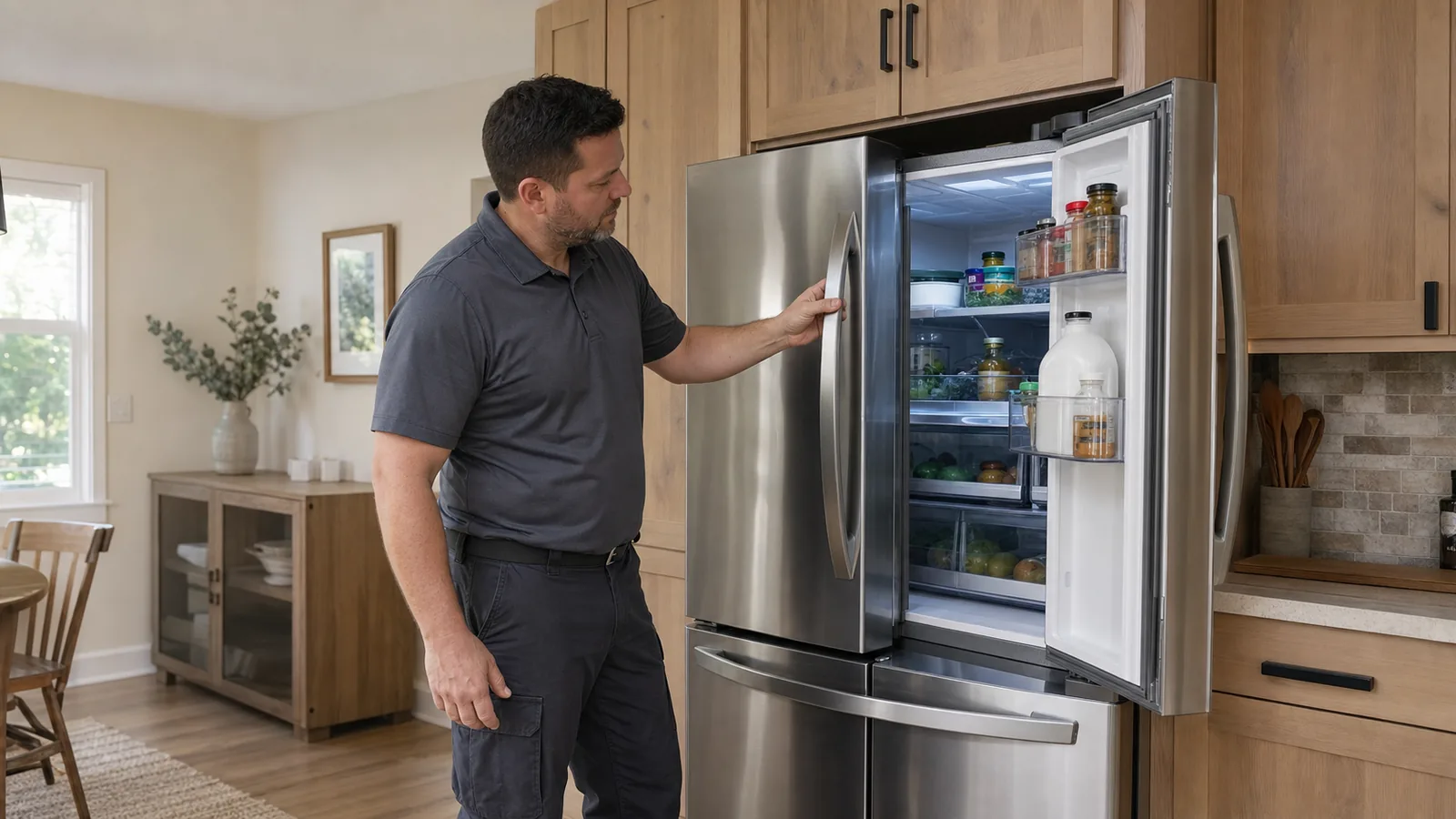
Complete Model Code
Capture the full code, serial, suffix/revision, and every label on a pair, stack, Laundry Hub, or combo.
Physical Evidence
Record cycle/mode, stage, temperature, water, drain, spin, tumble, heat, airflow, sound, leak, door, and final result.
Connected Evidence
Photograph the appliance display and exact SmartThings alert before reset; app status does not replace physical diagnosis.
Warranty and Recall
Check Samsung warranty, Samsung Care+, retailer plan, and applicable official recall before independent work.
Do this before diagnosing an older top-loader
Could the Samsung Washer Be Under an Official Safety Recall?
CPSC recall 17-028 covers 34 Samsung top-load washer models with serial-dependent eligibility because the top can detach during use. CPSC recall 23-068 covers several top-load models with Super Speed Wash because of a fire hazard and specifies a Samsung software remedy.
Do not infer eligibility from appearance. Use the complete model and serial through the current official Samsung/CPSC route. If a listed or possibly affected washer shows a loosening top, violent movement, smoke, burning odor, arcing, or abnormal heat, stop use and follow the official instructions.
Recall remedy is not an independent repair sale
What to save and who should handle it
- Photograph the complete model/serial labels in their normal location without tipping or pulling the washer.
- Save purchase/installation information, prior recall remedy records, current top/panel condition, cycle/load, movement, sound, odor, heat, code, and SmartThings/software status.
- Check the model and serial against both official recall notices; model alone may not establish eligibility.
- Use Samsung’s official recall contact and remedy. The 2022-announced Super Speed recall describes a software repair and a non-Wi-Fi dongle route.
- Do not run a high-speed test, remove the top, update unofficial software, or continue using an appliance when official instructions say to stop.
A recall check is a safety route, not a diagnosis of an unrelated symptom or permission to perform independent recall work.
Current and older residential configurations
Which Samsung Major Appliances Can We Evaluate?
Samsung’s U.S. catalog covers multiple refrigerator, laundry, dishwasher, cooking, microwave, and ventilation formats. These cards describe qualifying household requests within Max’s scope; complete model code, configuration, installation, access, safety, condition, parts support, warranty, and recall route still control service fit.
French-Door and Flex Refrigeration
Qualifying French-door, 4-Door Flex, Bespoke, Family Hub, side-by-side, top-freezer, and bottom-freezer models may be reviewed for temperature, frost, moisture, ice/water, fan, door, gasket, display, or power concerns.
Top-Load Washers
Qualifying top-load washers may be reviewed for fill, wash motion, drain, spin, balance, lid/lock, leak, sound, control, or code concerns after exact recall eligibility is checked.
Front-Load Washers and Dryers
Qualifying front-load washers plus gas and electric dryers may be reviewed for cycle, fill, tumble, drain, spin, heat, airflow, sensing, door, leak, sound, control, or code concerns.
Laundry Hub and All-in-One Combo
Qualifying vertical-control Laundry Hub formats, compatible stacks, and all-in-one washer/dryer combos need every label, exact dry system, stacking/movement plan, utilities, clearances, and model-specific access.
Dishwashers
Qualifying built-in dishwashers may be reviewed for fill, circulation, drain, leak, cleaning, drying, rack, spray, AutoRelease, door, noise, control, or code concerns.
Ranges and Cooktops
Qualifying gas, electric, dual-fuel, radiant, and induction ranges or cooktops may be reviewed for ignition, element/zone response, heat, sensing, fan, control, or code concerns.
Wall Ovens and Cooking Cavities
Qualifying single, double, combination, and Flex Duo cooking products may be reviewed for heat, temperature, convection, door, probe, microwave function where applicable, control, or code concerns.
Installed Microwaves and Hoods
Qualifying over-the-range or built-in microwaves and residential range hoods may be reviewed by exact model. Keep microwave covers closed and identify vented or recirculating airflow.
Immediate hazards come first: stop use and contact the appropriate emergency or utility resource for gas odor, smoke, arcing, fire or severe overheating, active flooding near power, shattered cooking glass, uncontrolled heat, a detached/loosening washer top, violent movement, a damaged connection, or another urgent condition. Keep microwave covers closed. Do not tip, pull, unstack, disconnect gas/hardwiring, or open service panels for a label photo.
A family name describes options, not the service plan
What Does the Exact Samsung Configuration Change?
Bespoke, Family Hub, FlexZone, Laundry Hub, AI Home, SmartThings, AutoRelease, StormWash, and Flex Duo are useful identifiers only when they belong to the complete model. The appliance layout, utilities, software, doors, controls, and access matter more than the badge on the front.
Refrigeration
Identify French-door, 4-Door Flex, side-by-side, top/bottom freezer, Bespoke panels, Family Hub screen, ice locations, water system, compartment roles, door clearances, ventilation, and actual temperatures. A screen or app issue can be separate from cooling.
Laundry
Identify top-load or front-load, gas/electric dryer, side-by-side, stack, Laundry Hub control relationship, all-in-one combo, vented or other dry configuration, pedestal, power, water, drain, vent, steam connection, and recall status.
Dishwashing
Identify two- or three-rack layout, Linear Wash or StormWash where present, AutoRelease/SmartDry behavior, handle/door design, cabinet clearance, drain/sink/disposal context, cycle/options, water temperature, and exact stage.
Cooking and Ventilation
Identify gas, electric, dual-fuel, radiant, or induction; range, cooktop, or wall oven; cavity count, Flex Duo or combination format, anti-tip/restraint, outlet/hardwire/gas, hood or over-the-range microwave, duct mode, cabinet, and counter access.
Preserve observations before reset or disassembly
What Should You Record When a Samsung Appliance Changes?
The old page guessed parts from symptoms. This section does the opposite: it preserves enough product, program, utility, installation, and safety evidence to decide which systems actually need testing.
Refrigerator Is Warm, Icing, or Noisy
Record actual temperatures, food-safety action, frost/moisture, fans/compressor sound, doors/gaskets, ice/water, filter/supply, display/SmartThings, power history, ventilation, and recent movement.
Ice Maker or Water Output Changed
Record refrigerator model, compartment temperatures, ice location/type and rate, water flow, filter and supply history, door contact, leaks, sounds, code/app alert, and recent plumbing or power work.
Washer Will Not Drain or Spin
Record model/revision and recall check, cycle/stage, water level, drain sound/result, basket/drum motion, balance, lid/door lock, load, code/app alert, leak, power, drain, and movement history.
Dryer Tumbles but Clothes Stay Damp
Identify gas/electric and vent setup; record cycle, load, tumble, heat, elapsed time, lint filter, transition duct, exterior airflow, room heat, sensing result, code/app alert, and recent vent work.
Dishwasher Leaves Water or Will Not Dry
Record cycle/stage, standing-water depth, pump/spray sound, temperature, detergent/rinse aid, normal-access filter, sink changes, door/cabinet alignment, AutoRelease behavior, and code/app alert.
Range or Oven Heats Incorrectly
Identify fuel/heat type, affected zone/cavity, mode/setpoint, ignition or element response, cookware where relevant, temperature pattern, fan/door, code/app alert, utility history, and recent cabinet work.
SmartThings Is Offline or Shows a Code
Photograph appliance and app messages. Record what the appliance physically does, program/mode, stage, temperature, water, heat, airflow, sound, leak, power/network events, and platform status before reset.
Leak, Burning Odor, Arcing, or Violent Movement
Stop use for active hazards. Preserve model/serial, recall evidence, first leak or odor location, smoke/arcing, heat, breaker/gas status, movement/top-panel condition, code, time, and safe wide photos without disassembly.
The app can preserve context
How Should SmartThings Home Care Be Used Before Service?
Samsung says Home Care can monitor compatible appliances, show maintenance or malfunction alerts, display error codes and troubleshooting, and offer service options. That makes it useful evidence, but it does not make an app message a component diagnosis.
- Photograph the appliance display and full Home Care wording before clearing either one.
- Save date/time, model, program/mode, options, exact stage, physical behavior, code, temperature, water, heat, airflow, sound, leak, power/network history, and final result.
- Check SmartThings platform status when multiple connected devices or automations fail at once.
- Separate an offline/network condition from a physical appliance failure.
- Do not share Samsung account passwords, weaken network security, or alter appliance safety settings for diagnosis.
Do not erase the best clue
When Should You Avoid Resetting or Running Smart Install?
Samsung’s washer/dryer Smart Install guidance says its purpose is to check for an error code and specifically says not to run it when the appliance already displays one. Preserve the existing code and use the exact model instructions first.
- Do not run repeated cycles during a leak, burning odor, arcing, severe heat, violent movement, gas odor, or official stop-use instruction.
- Do not assume a firmware update resolves a physical fault unless Samsung’s exact model guidance or an official recall says so.
- Do not treat a successful network connection as proof that water, refrigeration, heating, airflow, motors, pumps, fans, sensors, or safety systems are sound.
- Record whether a code appeared on the appliance, in SmartThings, or both.
- Keep official service-ticket, warranty, recall, or software-remedy reference numbers with the model and serial.
Model code plus suffix matters
Where Should You Find Samsung Documents?
Samsung’s U.S. support pages route manuals, downloads, warranty, registration, and repair by model code or product name. Use the full label, not only a marketing family. A suffix or revision can affect documents, parts, software, and recall applicability.
- Photograph the entire label in place with model code, serial, suffix/revision, and manufacturing information when shown.
- For a pair, stack, Laundry Hub, or combo, capture every appliance/control label.
- Use the Samsung account, receipt, registration, manual packet, or prior photo if the installed label is not safely reachable.
- Do not pull a refrigerator/range, tip a washer, unstack laundry, lift a cooktop, remove a dishwasher panel, disconnect utilities, or open a microwave for a label.
Check coverage before independent work
What Does the Samsung Warranty Overview Actually Mean?
Samsung’s current U.S. overview says most home appliances include a one-year manufacturer warranty for parts and labor and advertises longer component coverage for selected refrigerator compressor/sealed-system and laundry motor systems. It is not a blanket multi-year parts-and-labor promise.
- Use the exact model warranty, purchase/delivery proof, installation, dates, household use, exclusions, and prior service records.
- Check Samsung Care+, retailer plans, current service bulletins, official recalls, and safety notices separately.
- Do not infer coverage from a compressor or motor badge.
- Use Samsung’s official/authorized route when warranty, recall, product claim, or factory direction may apply.
Max is independent and is not Samsung factory service or an authorized Samsung provider.
Use diagnosis, coverage, recall, configuration, and total installed cost
When Is a Samsung Appliance Worth Repairing?
Brand reputation, age, a smart feature, a single code, or an online complaint is not enough. Compare the diagnosed fault, exact model/revision, active warranty or recall route, parts support, condition, history, safe access, household needs, and the full installed replacement project.
Repair can make sense when
- The fault is reasonably isolated and supported by testing.
- Model-correct parts, documents, software route where applicable, and safe access are viable.
- The cabinet, tub, basket/drum, liner, cavity, doors/panels, wiring, water, drain, refrigeration, gas/power, venting, and installation are otherwise sound.
- The appliance still fits the opening, pair/stack, panels, utilities, capacity, accessibility, and household workflow.
- Repair cost is proportionate to condition, history, coverage, recall status, remaining value, and installed replacement cost.
Replacement deserves more weight when
- Damage crosses multiple major systems or repeats after prior repairs.
- Corrosion, active leaks, structural/top-panel damage, unsafe wiring/gas/venting, or unresolved installation problems remain.
- Critical parts are unavailable or repair approaches the complete installed replacement value.
- The product no longer fits capacity, accessibility, efficiency, ventilation, smart-home, or household needs.
- A kitchen or laundry change already requires doors/panels, cabinets, counters, flooring, stacking, electrical, gas, water, drain, ducting, or building work.
Installed replacement can include delivery, haul-away, paired-unit or Laundry Hub decisions, pedestal/stacking hardware, Bespoke panels, cabinet/counter work, floor protection, anti-tip hardware, outlet/hardwiring, gas, water, drain, steam connection, venting/ducting, Wi-Fi/account migration, permits, parking/elevator access, and changes needed for a correct fit.
Safety and route first, then model-matched diagnosis
What to Expect From Your Samsung Service Request
Useful label, recall, warranty, configuration, installation, display, SmartThings, and symptom evidence helps match the appointment to the correct product and access plan.
Step 1
Safety and Route Review
Send every label, recall/warranty status, product/configuration, symptom/code, installation, address, and ZIP. Official stop-use, recall, warranty, safety, or factory routes take priority.
Step 2
Model-Matched Diagnosis
The technician reviews the exact product, utilities, venting, cabinets or laundry access, physical and connected evidence, and safety, then tests relevant systems where access permits.
Step 3
Findings and Options
You receive findings and a proposed next step before repair proceeds. Parts, labor, access, condition, coverage, recall status, software route, and replacement context can be compared.
Step 4
Approved Work and Check
Authorized work is completed when feasible and followed by a relevant functional check. Eligible repair parts installed by Max include a limited 90-day parts warranty; coverage depends on the component and repair.
Local routing with complete-model and building confirmation
Samsung Appliance Repair Across the Tampa Bay Area
Requests are reviewed across Tampa and many nearby Hillsborough, Pinellas, and Pasco County communities. Availability varies by address, route, exact model/configuration, appliance, installation and building access, warranty or recall route, safety, and parts situation.
All Service AreasTampaClearwaterDunedinSt. Petersburg
Share parking/loading, gate, elevator, stairs, service-hour, floor-protection, tenant/owner or property authorization, and vendor-document rules plus tight laundry closets, stacks/Hubs/combos, refrigerator doors or panels, gas/power, water, drain, vent, cabinets, counters, network context, and prior damage.
Direct answers for Samsung appliance owners
Samsung Appliance Repair FAQs
Answers about product scope, refrigeration and ice, top-load washer recalls, Laundry Hub/combos, dryer performance, dishwashers, cooking, SmartThings, model codes, warranty/independent status, scheduling, and repair value.
Which Samsung appliances do you repair in Tampa?
We evaluate qualifying Samsung residential major appliances within Max’s established scope: French-door, 4-Door Flex, side-by-side, top-freezer, bottom-freezer, Bespoke, and compatible Family Hub refrigerators; top-load and front-load washers; gas and electric dryers; qualifying stacked sets, Laundry Hub formats, and all-in-one washer/dryer combos; built-in dishwashers; gas, electric, dual-fuel, and induction ranges, wall ovens, and cooktops; qualifying over-the-range or built-in microwaves; and residential range hoods. Service fit depends on the complete model code, serial, suffix/revision, configuration, installation, access, safety, condition, parts support, warranty route, and applicable recall status.
Why is my Samsung refrigerator warm, icing, or not making ice?
Warm compartments, frost, moisture, or reduced ice do not remotely prove a defrost heater, sensor, fan, ice maker, valve, control, compressor, or sealed-system failure. Record actual fresh-food and freezer temperatures, food-safety action, frost and moisture location, fan/compressor sounds, door/gasket contact, ice and water behavior, filter/supply history, display code, SmartThings wording, power history, ventilation, and recent door, plumbing, or move work. Include the full refrigerator model code because French-door, 4-Door Flex, Bespoke, Family Hub, and older configurations route air, water, ice, controls, and access differently.
How do I know if my Samsung top-load washer is recalled?
Use the official Samsung/CPSC model-and-serial check, not appearance or an online parts list. CPSC recall 17-028 covers 34 top-load washer models with serial-dependent eligibility because the top can detach during use and pose an impact hazard. CPSC recall 23-068 covers several top-load washer models with Super Speed Wash because of a fire hazard and specifies a Samsung software remedy. If the appliance matches a listed model or shows violent movement, a loosening/top-panel concern, smoke, burning odor, arcing, or abnormal heat, stop use and follow the current official Samsung/CPSC instructions. Recall verification and remedy belong with Samsung, not an independent repair assumption.
Do you repair Samsung front-load washers, Laundry Hub units, and all-in-one combos?
Qualifying Samsung front-load washers, compatible stacked sets, Laundry Hub configurations, and all-in-one washer/dryer combos can be reviewed after every label and the exact installation are known. Report the cycle/options, exact stage, fill, tumble, drain, spin, dry phase where applicable, door/lock, balance, load, detergent system, code, SmartThings alert, leak, sound, odor, power, water, drain, vent or ventless context, and recent movement. A stacked pair, one-piece-control Laundry Hub, and all-in-one combo have different access, movement, utilities, and diagnostic branches. Do not unstack, tip, pull, or disconnect the unit for a label photo.
Why does my Samsung dryer run but not dry the load?
A running drum with damp clothes does not by itself identify a heater, igniter, gas valve, thermostat, fuse, sensor, fan, motor, or control. Identify gas or electric, conventional vented or another configuration, cycle/options, load type and amount, tumble, heat, elapsed time, lint-filter condition, transition duct, exterior airflow, room heat, moisture-sensing result, code or SmartThings alert, breaker/gas history, steam-water connection when present, and recent vent or construction work. Stop use for gas odor, smoke, arcing, a burning smell, severe cabinet heat, damaged ducting, or repeated breaker trips.
Can you repair a Samsung dishwasher when AutoRelease will not open or it will not drain?
Qualifying Samsung dishwashers can be reviewed for fill, circulation, drain, leak, cleaning, drying, rack, spray, door, latch, AutoRelease, control, noise, or code concerns. Record the exact model, cycle/options and stage, code before clearing, standing-water depth, pump and spray sound, first leak location, water temperature, detergent and rinse-aid use, normal-access filter condition, sink/disposal changes, cabinet/door alignment, and whether AutoRelease, StormWash, Linear Wash, SmartDry, or another model-specific feature is present. AutoRelease behavior can depend on the selected program, settings, door/cabinet clearance, drying stage, or a fault; the feature name does not prove a part.
Do you repair Samsung gas, electric, and induction ranges, cooktops, and wall ovens?
Qualifying Samsung gas, electric, dual-fuel, and induction cooking products can be reviewed by exact model and installation. Identify the affected burner, zone, cavity, or function; selected mode and setpoint; ignition or element response; cookware where relevant; actual temperature pattern; fan, door, probe, control, and code behavior; SmartThings alert; breaker or gas history; anti-tip status; and recent power, gas, cabinet, counter, or floor work. Features such as Flex Duo, convection, Air Fry, Smart Control, or AI Home vary by model. Stop use for gas odor, smoke, arcing, shattered glass, uncontrolled heat, a damaged connection, severe overheating, or repeated breaker trips.
Does a SmartThings Home Care code tell you which part failed?
No. Samsung’s SmartThings Home Care can show maintenance notifications, diagnostic codes, troubleshooting guidance, and service options on compatible products, but an app code or disconnected status does not prove one physical component failed. Photograph the appliance display and exact app wording before clearing either one. Save date/time, program or mode, exact stage, what the appliance physically did, temperature, water, heat, airflow, sound, leak, power/network event, frequency, and final result. Samsung’s Smart Install guidance says not to run Smart Install when a washer or dryer already displays an error code. Use the exact model instructions and do not share account passwords or change safety-critical settings as a repair test.
Where is the Samsung model code and serial number?
Samsung label locations vary by product and generation, so use the exact product support page or manual. Photograph the complete label in place, including model code, serial, suffix/revision, and manufacturing information when shown. Refrigerator labels can be on an exterior side or inside compartment depending on model; laundry labels can be around a door opening, under a lid, or at the rear; ranges, dishwashers, wall ovens, cooktops, microwaves, and hoods use product-specific positions. If reaching a label requires pulling, tipping, unstacking, removing panels, disconnecting gas/hardwiring, lifting a cooktop, or opening a microwave cover, stop and use the Samsung account, receipt, manual, registration, or a prior photo instead.
Is my Samsung appliance under warranty, and is Max authorized by Samsung?
Samsung’s current U.S. overview says most home appliances include a one-year manufacturer warranty for parts and labor and describes longer component coverage for selected refrigerator compressor/sealed-system and laundry motor systems. Exact coverage depends on the full model code, purchase, delivery, installation, household use, documents, dates, exclusions, extended plan, and current terms. Max Appliance Repair Tampa is independent and is not Samsung factory service and is not authorized by, affiliated with, or endorsed by Samsung. For possible Samsung warranty, Samsung Care+, retailer protection plan, recall, safety notice, product claim, or factory-directed service, use Samsung’s current official route before independent work.
Is same-day Samsung appliance repair available in Tampa?
Same-day appointment options are often available, but they depend on request time, technician route, Tampa-area address, complete model code/configuration, appliance, symptom, installation and safe access, warranty or recall path, safety conditions, and parts availability. Call (813) 906-1062 with the full label, exact display/SmartThings evidence, wide installation photos, address, and ZIP code so the earliest suitable opening can be confirmed. For a stack, Laundry Hub, all-in-one combo, gas product, built-in appliance, managed building, or recall question, include every label, movement, utility, cabinet, vent, parking, elevator, and authorization detail. An appointment is not a promise of same-day completion.
Is an older Samsung appliance worth repairing?
The decision should follow diagnosis, not brand reputation, age alone, a code, a smart feature, or internet folklore. Compare the isolated fault, full model and revision, active warranty or recall route, parts support, overall condition, prior repair history, safe access, installation, utility or vent issues, household needs, and complete installed replacement cost. Repair can be reasonable when the fault is supported by testing and the rest of the appliance and installation are sound. Replacement deserves more weight when damage crosses major systems, repeats, includes structural or safety problems, critical parts are unavailable, or repair approaches the cost of a correctly installed replacement.
Sources used for product scope, support, warranty, and recall guidance: Samsung U.S. official home-appliance categories, home-appliance warranty overview, warranty lookup, model-specific legal/warranty terms route, manuals and downloads, SmartThings Home Care, Home Care error codes, washer and dryer Smart Install instructions, refrigerator support FAQ, washer support FAQ, and dishwasher support FAQ; U.S. CPSC official recall 17-028 and recall 23-068. Products, features, software, warranties, promotions, recalls, remedies, contacts, parts, and routes can change; verify the current exact model, serial, document, and official instruction. Symptoms and alerts are diagnostic starting points, not remote diagnoses.
Independent service disclosure: Max Appliance Repair Tampa is independent and is not Samsung factory service and is not authorized by, affiliated with, or endorsed by Samsung Electronics America, Inc. or Samsung Electronics Co., Ltd. Brand, family, and feature names identify appliances discussed or serviced. For warranty, Samsung Care+, retailer plan, recall, safety notice, product claim, authorized verification, software remedy, or factory-directed service, use Samsung’s current official route.
Product scope, SmartThings, model-code, warranty, and recall-path information reviewed August 2, 2026. View all appliance brands we repair.
Need Help With a Samsung Appliance?
Call with every model-code/serial label, exact configuration, display and SmartThings evidence, installation photos, warranty or recall information, and Tampa-area ZIP code, or send the details online.